
Home security used to mean installing a loud alarm and hoping it would be enough. Today, homeowners have far more control over how they protect their property. Modern security cameras can show who is at the front door, alert you when someone enters the backyard, help you check whether a package has arrived, and even let you keep an eye on pets while you are away.
However, more features do not automatically create a better security system. The best setup matches your home, your routine, and the situations you genuinely want to monitor. Before comparing resolutions, storage capacities, or smart detection features, start with a simpler question: What would make you feel more informed and in control at home?
Start With the Moments You Want to See
Most people do not need to watch every corner of their property all day. They need visibility at a few important moments.
You may want to know when a delivery has been left at the door. Perhaps your driveway is difficult to see from inside the house, or your children sometimes arrive home before you do. If you own a pet, an indoor camera might help you check that everything is fine during the workday. Someone with a detached garage may have completely different priorities than someone living in a townhouse or apartment.
Make a short list of these everyday situations before shopping. It will help you identify the areas that matter most and prevent you from purchasing cameras simply because they have impressive specifications.
For many households, the most useful locations are:
- The front entrance
- The driveway or garage
- A side gate or narrow passage
- The backyard
- A main indoor living area
This does not mean every location needs a camera immediately. Starting with one or two high-priority areas often makes more sense. You can observe how the system fits into your routine before expanding it.
Think in Terms of Coverage, Not Camera Count
It is easy to assume that more cameras always provide better protection. In practice, positioning and field of view are often more important than the number of devices.
A camera mounted too high may capture the top of a visitor’s head but not their face. One pointed toward direct sunlight may struggle during certain hours. A wide-angle view can cover a large area, but a person or vehicle may appear smaller. Cameras with pan-and-tilt capabilities can offer more flexible coverage, although fixed cameras may be perfectly suitable for narrow entrances.
Walk around your home and look at it as if you were approaching for the first time. Which paths would a visitor naturally take? Do gates, fences, shrubs, or parked vehicles block the view? Where could a camera be installed without becoming difficult to maintain?
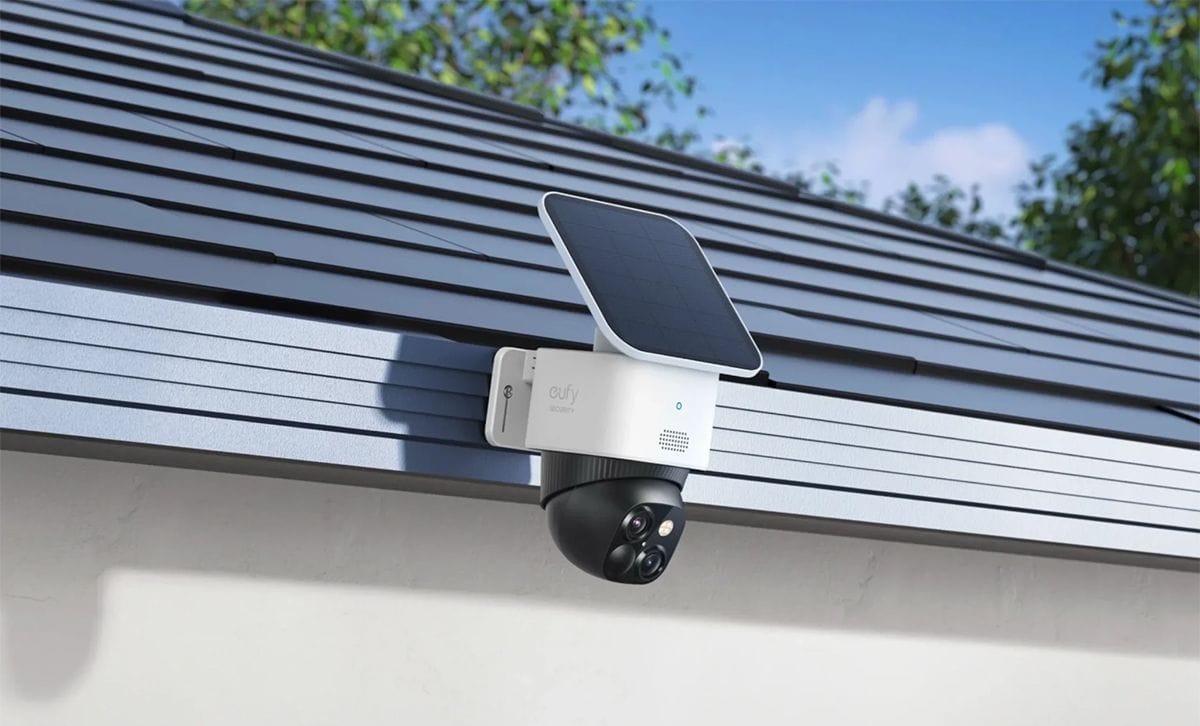
When comparing security cameras, consider whether you can combine indoor, outdoor, floodlight, wired, and solar-powered options to cover different spaces. A driveway may benefit from a visible camera and strong lighting, while a living room may only require a compact indoor model with two-way audio.
The goal is not to surround the house with devices. It is to create useful sightlines that give you the information you need.
Image Quality Matters, But Context Matters More
Clear video is important, especially when you need to identify a face, package, or vehicle. At the same time, don’t evaluate resolution in isolation.
Night performance can matter just as much as daytime clarity. If your front path is poorly lit, look for a camera with reliable low-light or night-vision capabilities. A floodlight camera may be helpful near a garage or backyard entrance because it can improve visibility while also making unexpected visitors aware that the area is being monitored.
Zoom can also be valuable when the camera covers a larger space. Dual-lens or pan-and-tilt designs may help users see both the wider scene and closer details. Before choosing a model, picture the actual distance between the camera and the area you want to monitor. A specification that looks excellent on paper is only useful if it produces clear, relevant footage in that environment.
Reduce Alerts That Do Not Matter
One of the most common frustrations with home cameras is receiving too many notifications. If every moving branch, passing car, or neighbourhood cat creates an alert, most users eventually begin ignoring them.
Smart detection can make a significant difference by helping the system distinguish between people, vehicles, pets, and other movement. Activity zones are also useful. For example, you may want to include your driveway in the detection area while excluding the busy sidewalk beyond it.
Adjusting sensitivity usually requires a little patience. During the first week, review the alerts and identify what triggered them. If the camera repeatedly detects irrelevant motion, change its angle, detection zone, or sensitivity level. A well-configured camera should bring unusual events to your attention without constantly interrupting your day.
The quality of a security system is not determined by how many alerts it sends. It depends on whether you trust those alerts enough to check them.
Decide How Much Installation Work You Want
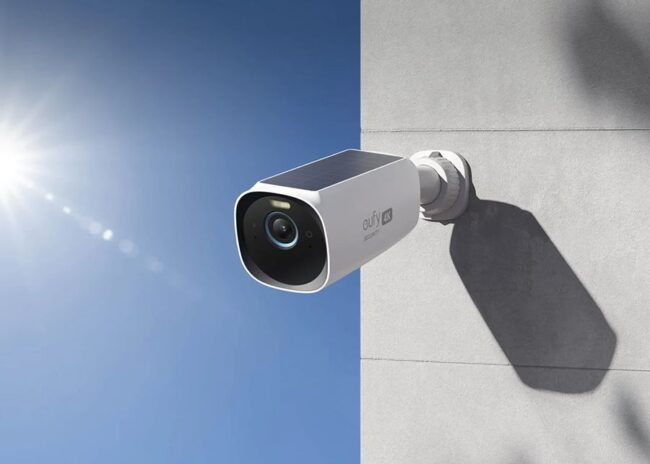
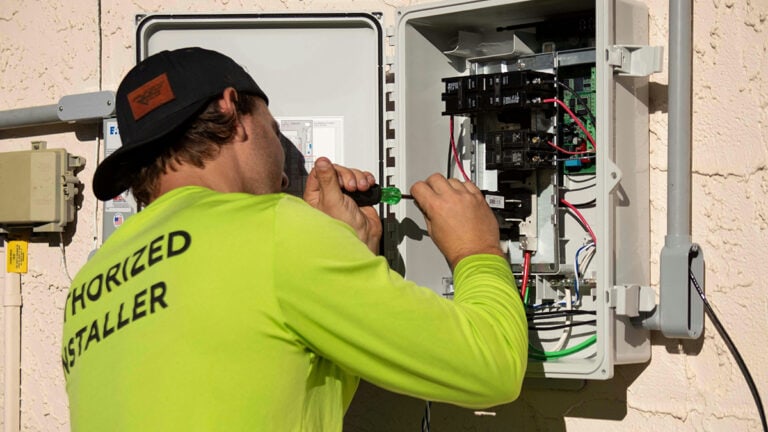
Installation is an important part of the ownership experience. Wired systems can provide stable power and may suit homeowners who want continuous operation in permanent locations. However, running cables can require more planning, particularly in finished homes.
For renters, busy families, and people who prefer a simpler setup,wireless security cameras can offer more placement flexibility. Battery-powered models can often be installed without routing power cables through walls. Solar charging may further reduce routine maintenance in outdoor locations that receive enough direct sunlight.
“Wireless” does not necessarily mean maintenance-free. Users should still consider battery life, Wi-Fi coverage, mounting access, and weather conditions. A camera placed in a location with a weak network signal may not perform consistently, no matter how advanced its other features are.
Before installation, test the camera near the intended position. Confirm that it connects reliably and delivers a useful image before drilling holes or attaching a permanent mount.
Understand Where Your Video Goes
Storage and privacy deserve careful attention because home camera footage can reveal a great deal about your daily life.
Some systems rely primarily on cloud storage, while others support local storage through a camera, base station, or network recorder. Cloud services can make footage accessible even if equipment at the property is damaged, but they may involve ongoing fees. Local storage can reduce dependence on subscriptions and keep more data within the home, although the capacity and backup options need to be considered.
Ask a few practical questions before making a decision:
- Is a subscription required for basic recording or smart detection?
- How long can footage be stored?
- Can important clips be downloaded?
- Is the video encrypted?
- Can multiple family members have separate access?
- Does the system support two-factor authentication?
Once the system is running, use a strong, unique password and keep its software updated. If indoor cameras are installed, discuss their placement with everyone who lives in the home. Security should provide reassurance without making family members or visitors feel unnecessarily watched.
Plan for Canadian Weather
Outdoor cameras in Canada may face rain, snow, wind, freezing temperatures, and major seasonal changes in daylight. Check the operating temperature range and weather-resistance rating of any model intended for outdoor use.
Placement can help as well. Installing a camera beneath an overhang may reduce direct exposure to snow and rain. Keep the lens away from dripping gutters, and remember that winter storms can cover both lenses and solar panels. If you choose a battery-powered model, it should be mounted somewhere you can safely reach when charging or maintenance becomes necessary.
Seasonal changes may also affect the camera’s view. Leaves can block a lens in summer, while sunlight reflecting from snow can alter exposure in winter. Reviewing each outdoor camera a few times a year helps keep the system effective.
Build a System You Will Actually Use
A home security camera should make daily life easier, not create another complicated system to manage. The right setup gives you quick answers to ordinary questions: Has the package arrived? Who is at the door? Did the children get home? Is the backyard gate still closed?
Begin with the areas that matter most, choose equipment that suits those spaces, and take time to fine-tune the notifications. Consider installation, storage, privacy, and maintenance alongside image quality. Most importantly, choose a system that can grow with your needs.
A thoughtful two-camera setup can be more useful than a poorly planned network of eight devices. When every camera has a clear purpose, home monitoring becomes less about constantly expecting something bad to happen and more about staying connected to the place and people you care about.
contributed post








You must be logged in to post a comment.